bexio for Trustees: Receipt Exchange Without Email Ping-Pong
Trustees exchange receipts with bexio clients without email ping-pong — connect each client once, quintio mirrors every receipt into your own Google Drive.
By Roman Brüngger — Fiduciary with a Swiss federal diploma · Founder rombro ag
As of: August 2026 · This article is not legal advice.
The short answer: the biggest time sink in everyday bexio trustee work is not solved by a search function but by the receipt exchange. With the Cockpit and trustee access, bexio gives you a clean way into every client — but no automatic receipt flow from the client to you, and no search across all clients. The route without email ping-pong sits one layer above: you connect each bexio client once via your existing trustee access to quintio.ch; after that, quintio continuously mirrors every receipt of that client into its own folder in your Google Drive. The client sets nothing up, shares nothing and stops sending receipts by email — and in the end you search all clients with a single search. This article shows why that replaces the ping-pong, and where the limits are.

Which software helps trustees exchange receipts with bexio clients?
First, what bexio brings along itself — it is more than many people think. The trustee track is no side note at bexio: over 1,000 certified trustee partners work with the software according to bexio, among more than 100,000 customers by now (press release 18.02.2026). bexio provides three building blocks for collaboration:
- Trustee access: the client invites you into their account (bexio help 000001812); from then on, you work directly in their books.
- bexio Cockpit: the free management hub — all connected clients in one list, with a direct jump into each account.
- Document archive: included for clients on Optima or Ultimate, with OCR search, but tied to the individual client.
That is a solid access set. Two things are missing, though, and both concern the receipt exchange: first, no receipt flows automatically from the client to you — receipts and photos keep arriving by email, or not at all. Second, there is no search across clients. We have covered the missing cross-client search separately: Finding receipts across all your bexio clients. Here it is about the first problem — how the receipt reaches you at all, without asking.
There are three routes for that, and they are worth very different amounts:

The shared cloud folder beats email, but it still asks the client for one action per receipt — and the order depends on their discipline. Only the mirror takes the client out of the loop entirely. Its honest limit is in the last row: it requires bexio at the client. If a client does not run their books in bexio, a shared folder or an upload portal will serve you better.
Where the receipt exchange breaks down today
In quarterly reconciliation, everyday reality looks like this: a payment with no receipt, thirty clients in the Cockpit, and the only route to the receipt runs through an email to the client. That «could you quickly send me the receipt for …» costs both sides time, delays the closing by days and undermines your standing — asking again never looks confident. The problem is structural, not personal: bexio itself recommends keeping «receipts additionally outside of bexio» (help article 000001647). Without an automatic channel, «keeping them outside» means exactly this in practice: ask, download, file — receipt by receipt, client by client.
How do trustees and clients exchange receipts without email ping-pong?
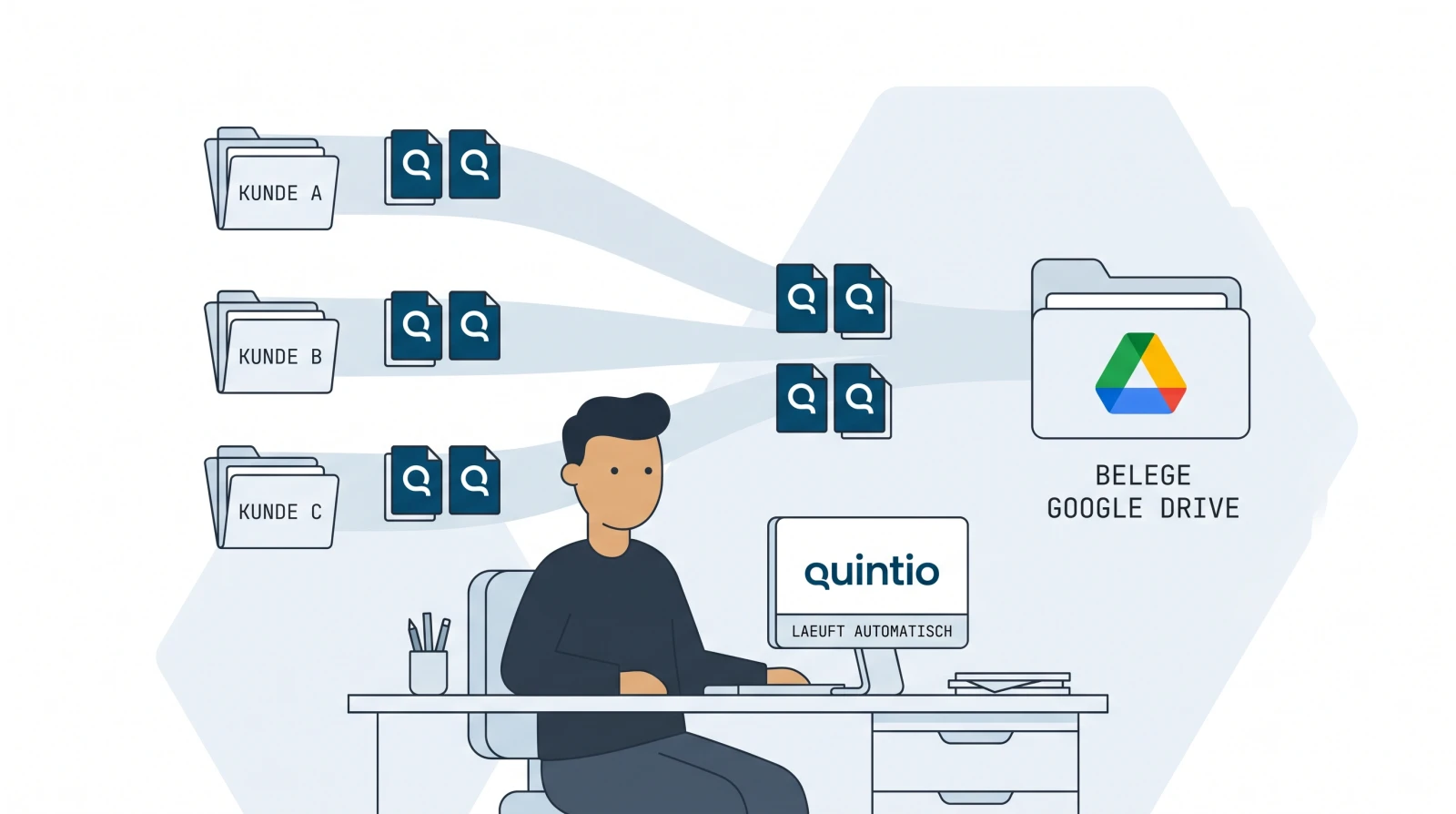
By the exchange ceasing to be an exchange. Instead of sending receipts back and forth, you connect each client once — after that the receipts flow on their own.

Here is how it works in practice:
- Connect each client once. In your quintio account you sign in per client using the existing trustee access. quintio creates a dedicated folder for it in your Google Drive and keeps it continuously up to date — including the full history. The client does nothing here; their bexio account stays unchanged, and no folder share is needed (why that is).
- Receipts arrive on their own. Every new receipt in the inbox and every
invoice lands in the client folder automatically, cleanly sorted by year
and month —
bexio – Sample Ltd/Inbox/2026/07/. - You access it whenever you want. No asking, no waiting for the client, no attachment in your mailbox.
Three things that matter for a trustee office: quintio never stores receipts
itself, it passes them through from bexio into your Drive. Access is limited
to the one Drive folder you choose — Google’s drive.file scope, which
Google classifies as «non-sensitive»
(details on the Google Drive connection).
Server location and data storage are in the EU; transfer and storage are
encrypted.
And how do I find a receipt across all clients?
Because all clients sit as folders in one Drive — yours — a single Google search runs across every client folder, and via text recognition through the content of scanned receipts too. How this cross-client search works exactly, which bexio limits it replaces and what Google Drive indexes for it is in the sister article: Finding receipts across all your bexio clients. For individual old receipts inside a single client, Find an old receipt in bexio helps as well.
What this means for onboarding and practice
Every new client is a single connection step — after that its folder appears in your Drive and fills up on its own. For you that means one filing system for the whole office instead of one per client, and no more chasing receipts. To be honest about it: the mirror is your working and backup copy, not the client’s — if a client relationship ends, it stays with you.
And the retention question? bexio remains the system of record for your clients; the mirror is the searchable copy next to it. Google Drive meets the technical requirements for storing digital receipts in an audit-proof manner, compliant with the CO (Swiss Code of Obligations), the GeBüV (Ordinance on the Keeping and Preservation of Business Records) and tax law. What matters here: audit-proof storage is not a product feature — it comes from a system plus orderly use, and a state GeBüV certification does not exist. The obligation itself stays with the company (Art. 957a CO). How Roman Brüngger — a trustee with a Swiss federal diploma — assesses Drive filing from a trustee’s perspective is here: Google Drive & audit-proof storage.
A practical side effect against the contract cliff: if a client cancels bexio, bexio deletes their data one month later (GTC clause 5.7) — by then the mirrored receipts have long been sitting in your own Drive.
When this route is not worth it for your office
Honest limits: if a client does not run their books in bexio, there is nothing to mirror. If you already work with a full-fledged trustee DMS that fills every client automatically and searches across everything, quintio solves a problem you no longer have. And if your office fundamentally does not want to work with Google, another route serves you better — today quintio mirrors exclusively to Google Drive (OneDrive is planned, not available).
Frequently asked questions (FAQ)
Which software do I need as a trustee for the receipt exchange with bexio? For access, bexio’s built-in tools are enough: trustee access and the Cockpit. What they do not deliver is the automatic receipt flow from the client to you. A mirror service like quintio adds that: you connect each client once, and after that every receipt lands in your own Google Drive by itself — without the client sending anything.
As a client, how do I give my trustee access to bexio? In the bexio account settings under Users & Permissions → Trustee. Guide: bexio help 000001812. It takes two minutes to set up and is the prerequisite for connecting the client to quintio afterwards.
Does the client have to share their Google Drive? No. The mirror lands in your own Google Drive, connected via your trustee access to the bexio client. The client sets nothing up and shares nothing.
Do I need Google Workspace for several clients? No — an ordinary Google account is enough. Each client lands in it as its own subfolder; Workspace is not a requirement.
Is quintio a GeBüV archive? No. quintio is a mirror, not an archiving system — bexio remains the system of record for the books. Google Drive meets the technical requirements for audit-proof filing compliant with the CO, the GeBüV and tax law, but compliance comes from a system plus orderly use and remains the company’s responsibility (Art. 957a CO). The assessment from a trustee’s perspective: Google Drive & audit-proof storage.
Does this work for clients outside of bexio too? No — quintio requires bexio at the client, because it mirrors the receipts out of bexio. For clients without bexio, a shared cloud folder or an upload portal remain the more pragmatic routes.
quintio.ch continuously mirrors every document from bexio into your own Google Drive — one folder per client, searchable via Google OCR, cleanly organised by year and month. No sharing needed from the client. Try it for free → Sign up, connect your first client — the first documents sync for free. No credit card required.
Sources
- bexio help 000001812 «Trustee access» — set up by the client
- bexio help 000001647 — recommendation to keep receipts additionally outside of bexio (as of August 2026)
- bexio: trustee software — «over 1,000 certified trustee partners» (accessed August 2026) · Press release 18.02.2026 — «over 100,000 customers»
- bexio GTC (PDF) — clause 5.7: data deleted one month after the contract ends
- Google Drive API: automatic full-text indexing — Drive indexes uploaded documents, including images with text, for search
- Art. 957a / 958f CO (SR 220, Fedlex) — bookkeeping obligation and ten-year retention; the responsibility stays with the company
quintio automatically mirrors your bexio documents into your own Google Drive.
Sign up free