bexio Backup & Export 2026: All Options Compared
bexio has no self-service full export. All the options compared — and how your document archive stays complete automatically.
By Roman Brüngger — Fiduciary with a Swiss federal diploma · Founder rombro ag
As of July 2026 · Last reviewed: July 2026
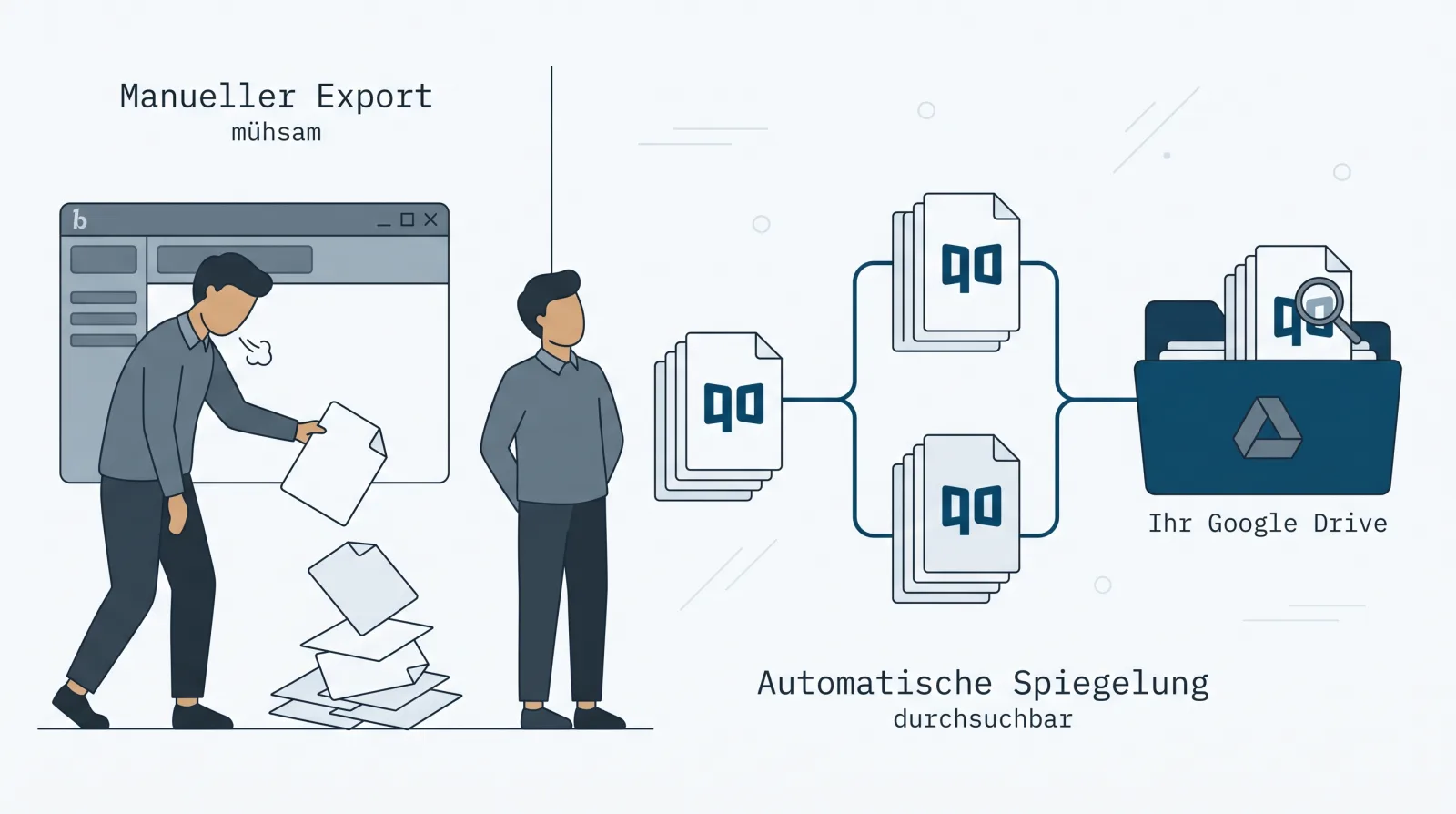
You know the moment: the tax audit wants the receipts from 2023, a customer needs that old supply contract, or you’re considering a switch — and you realise your documents are stuck in bexio, file by file. The short answer: bexio has no self-service full export. The journal and contacts come out as Excel, sales documents as multi-PDF — but for the inbox, bexio’s own help says: “…that the files you have uploaded can only be downloaded individually” (help article 000001647). The full export is available as a support service — for the document archive, per the official service description, at a flat CHF 450 per run. How to get specifically the inbox out — manually, via support or automatically — is broken down in exporting the bexio inbox. If you want your documents kept current, searchable and in your own possession, you need one of the eight tools in this comparison.
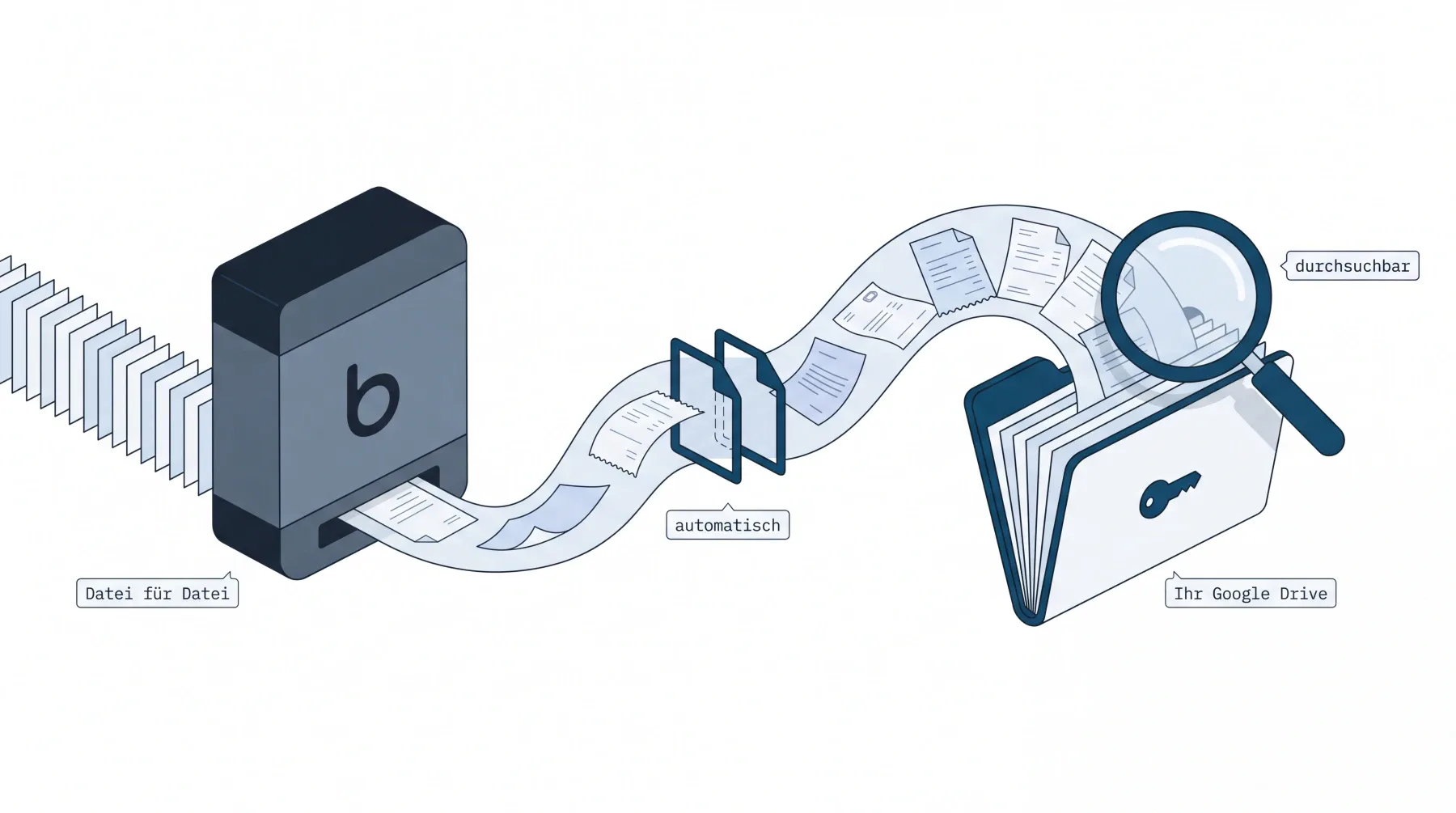 The difference in one picture: bexio’s built-in tools release the inbox only file by file — a mirror brings everything into your own Google Drive automatically and searchably.
Transparency up front: quintio is our own product. We list it first because we consider it the best solution for one specific case — bexio users who want all their documents continuously in their own Google Drive — and we lay out the reasons, including the cases where another solution fits better (jump straight there).
How we compared: completeness (inbox + invoices + history), storage location and ownership, degree of automation, searchability, value for money, exit safety. All prices in CHF, as of July 2026, with sources at the end of the article.
The 8 options at a glance

| Solution | Best for | Storage location | Price (as of July 2026) | Limits |
|---|---|---|---|---|
| quintio.ch | Continuous mirror of all documents in your own Google Drive, full-text search included | Your Google Drive | CHF 19 per mandate/month (Beta) · backfill included, no limit | No “certified” archive system (you don’t need one); Google Drive only for now |
| Manual export (built-in tools) | Small volumes, partial exports | Your computer | Included | Inbox only file by file |
| bexio support export | Final export on cancellation | ZIP handover | Archive: CHF 450 flat; inbox: no published price | One-time snapshot, unsecured again afterwards |
| Export service provider (e.g. fiduciary) | One-time export without your own effort | By arrangement | Based on effort | One-time snapshot |
| RESTORE-IT (Sileo AG) | Disaster-recovery cover | Sileo data centres (CH) | CHF 9/29/59 per month | No direct restore, no searchable working archive |
| swiDOC | Formal, KRM-certified compliance archive | Swiss data centre (ISO 27001) | CHF 18.90–99 per month | Weekly sync; not all document types; third-party cloud |
| Triboni Drive for bexio | Full-featured DMS with workflows | Triboni cloud | from CHF 39 per month | Third-party cloud; 50 GB included |
| Zapier / Make / your own API | Tinkerers with a partial problem | e.g. your Drive | Zapier from USD 19.99/mo.; Make from free | Zapier: no inbox; Make/API: DIY build + maintenance |
The feature comparison: who can do what?

| Feature | quintio.ch | RESTORE-IT | swiDOC | Triboni | Zapier/Make | Built-in tools |
|---|---|---|---|---|---|---|
| Inbox documents secured | ✅ | ✅ | ◐¹ | ✅ | ❌ | ◐ (individually) |
| Invoice PDFs incl. history | ✅ | ✅ | ✅ | ✅ | ◐ (new only) | ✅ (multi-PDF) |
| Automatic & continuous | ✅ continuous | ✅ (14 d/weekly/daily) | ✅ (weekly) | ✅ | ◐ | ❌ |
| Retroactive backfill | ✅ | ✅ | ✅ (up to 10 years) | ✅ | ❌ | ◐ |
| Full-text search across document contents | ✅ (Google OCR) | ❌ | ✅ | ✅ | ❌ | ❌ |
| Storage in your possession | ✅ | ❌ | ❌ | ❌ | ✅² | ✅ |
| Stays with you after cancellation | ✅ | ❌ | ❌ | ❌ | ✅² | ✅ |
| Setup without building & maintaining | ✅ | ✅ | ✅ | ✅ | ◐ | ✅ |
| Private archive certificate | ❌ | ❌³ | ✅ (KRM) | ✅ | ❌ | ❌ |
◐ = partial. ¹ swiDOC takes over customer invoices and attachments (supplier invoices, expenses, entries) — not the raw inbox; a full sync is, in swiDOC’s words, “not yet possible at present” for lack of bexio interfaces. ² Applies only to what Zapier has copied: new sales invoices — no inbox, no history. ³ On the roadmap, according to Sileo. There is no state-issued GeBüV certification — a certificate is not required for compliance (our assessment). Sources at the end of the article; as of July 2026.
The pattern is clear: quintio is the only solution that meets every completeness criterion — and at the same time the only one without a private archive certificate. You don’t need one for GeBüV compliance — and if you want one anyway, you combine tools (when quintio isn’t enough).
1. quintio.ch — all bexio documents continuously in your own Google Drive
The end result first: three weeks after setup you no longer think about quintio.
You type “Bosch” or “847.30” into Google Drive search and the document is there —
on your laptop, on your phone, or at your fiduciary’s, whom you shared the folder
with once. No bexio login, no scrolling through Scan_20260412_093322.pdf, no
email asking “can you quickly send me that receipt?”.

drive.file.
Here’s how you get there: Sign in with bexio, pick a Drive folder — done.
quintio loads the entire history (newest documents first; the first documents
appear after a few minutes) and then keeps the folder continuously up to date:
inbox documents under Posteingang/Jahr/Monat, invoice PDFs under
Rechnungen/Jahr. You don’t have to buy the full-text search — it’s built into
Drive. Google documents it officially: “Drive automatically indexes documents
for search … including text documents, PDFs, images with text”
(developers.google.com).
And the risk? It’s structurally the reverse of everything else in this comparison: the folder belongs to you. Cancel quintio, and every document stays in your Google account. Cancel bexio, and your archive is already out. You test this before you pay — the first documents sync for free, no credit card.
Strengths
- The only service in the comparison that mirrors all documents — including the inbox — continuously into customer-owned storage
- Complete historical backfill, then continuously up to date
- Full-text search across document contents via Google OCR, at no extra cost, with every bexio plan — including Basic/Advanced without the native document archive
- Minimal access: the
drive.fileGoogle permission — quintio sees only the chosen folder, documents are passed through and never stored with us
Limits
- No “certified” archive system — a certificate is not required for GeBüV compliance (our assessment); quintio is the copy in your hands, bexio remains the system of record
- Google Drive only for now; OneDrive/SharePoint is planned but not available
- A young product (launched 2026) — but already in daily use at a co-founding fiduciary firm that runs over 100 bexio mandates
Choose quintio if you want your documents kept current, searchable and cancellation-proof in your own hands — not in yet another external archive.
Try it free at quintio.ch → Sign in with bexio, sync your first documents for free. No credit card required.
2. Manual export with built-in tools
Honestly: for the journal, contacts and sales documents, bexio’s built-in tools are usable — Excel export and “multi-PDF” in a batch work fine. The limit is the inbox: every scanned receipt is downloaded individually via the three-dot menu. A user on the bexio ideas portal put it in a nutshell: “I don’t think it occurs to anyone to manually fetch thousands of individual files” (FIBU-I-183, archived).
Choose the built-in tools if you have few documents or only want to secure the journal and contacts.
3. Full export via bexio support
To secure all inbox files, bexio points you to support: “We’re happy to offer you a service, export the data for you and make it available to you” — with no published price (the GTC, clause 5.6, allow a “compensation for expenses”). For the document archive, the price is official: “A complete data export is charged at a flat CHF 450” (service description, as of 1 March 2026). To put that in perspective: CHF 450 for a single snapshot of your own documents — every further time costs again. Alternatively, export service providers (typically: fiduciary firms with API access) do the same job based on effort.
Choose the support export if you’re leaving bexio and never made provisions beforehand — pay once, get a ZIP, close the chapter.
4. RESTORE-IT Backup (Sileo AG)
The established backup solution in the bexio Marketplace, and solid in its discipline: Starter CHF 9/mo. (backup every 14 days), Professional CHF 29 (weekly), Premium CHF 59 (daily), stored in Sileo’s own data centres in Fahrwangen (AG) and St. Gallen (sileo.swiss). According to Sileo, what’s backed up is “the database (excl. payroll), documents such as expenses, receipts etc. and contacts”.
To manage expectations: there is no direct restore into bexio — you export from the backup portal (ZIP, or PDF/CSV/vCard on Premium) and re-insert manually; the backups themselves are retained for 30 days, 6 months or 10 years depending on the plan. It’s insurance against total loss, not a working archive: searching, sharing, opening on the go — it isn’t built for that.
Choose RESTORE-IT if you mainly want to cover the disaster scenario and don’t need to own the copy yourself.
5. swiDOC
If you need a formal compliance archive, this is the specialised solution: GeBüV-certified by the Swiss auditing body KRM, OCR full-text search, hosted in an ISO 27001 data centre in Switzerland, CHF 18.90–99/mo. (swidoc.ch). It takes over customer invoices as well as attachments from supplier invoices, expenses and manual entries — “automatically once a week in the background”.
swiDOC names two limits itself: the sync doesn’t cover everything — a fully automatic reconciliation of all documents “is not yet possible at present, because bexio cannot yet provide the corresponding interfaces”. And the archive sits with swiDOC: you swap dependence on bexio for dependence on a second provider.
Choose swiDOC if audit-proof storage with a certificate is your main requirement and a weekly rhythm is enough.
6. Triboni Drive for bexio
Despite the name, not Google Drive — “Drive” is Triboni AG’s product name. According to the Marketplace listing, the archive/DMS suite takes over “all bexio documents and automatically creates a matching filing structure”, syncs continuously, offers OCR full-text search and GeBüV-compliant archiving — in the Triboni cloud with 50 GB of storage included, from CHF 39/mo. (bexio Marketplace). Functionally the most complete third-party archive solution — with the same structural property as swiDOC: the documents sit with a third party (on the name mix-up).
Choose Triboni if you’re looking for a full-featured DMS with approval workflows and accept another provider cloud.
7. Zapier, Make or your own API solution
Zapier’s bexio app offers seven triggers — none for files; the inbox can only be written to, not read out (zapier.com/apps/bexio). Copying new sales invoices as PDFs to Drive works (from USD 19.99/mo. for multi-step Zaps); nothing happens retroactively — Zapier’s “Transfer” function for historical data doesn’t support bexio. Make has file modules (“Watch Files”, “Download a File”, from the free plan) — but you build the filing structure, error handling, backfill and maintenance yourself. The same goes for the open bexio API (docs.bexio.com): doable, but a small software project that needs to be run for years.
Choose the DIY route if you have development capacity and need special logic that no product covers.
When quintio is not the right choice
An honest self-assessment — in these cases you’re better served elsewhere:
- You only want to export once (e.g. on cancellation): the support export or an export service provider is then simply cheaper than a subscription — quintio pays off through ongoing operation.
- You want a private archive certificate as extra assurance (internal policy, regulated industry): go with swiDOC or the native document archive — happily with quintio as a second copy, but the certificate is what the others deliver. It isn’t required for GeBüV compliance (our assessment).
- Your company lives in Microsoft 365 / SharePoint: wait for our OneDrive support, or pick RESTORE-IT as cover for now — setting up a Google account just for the mirror is a detour.
- You don’t want any copy off-premises at all: then manual export to your own computer remains the only consistent route.
Why take precautions at all? The facts
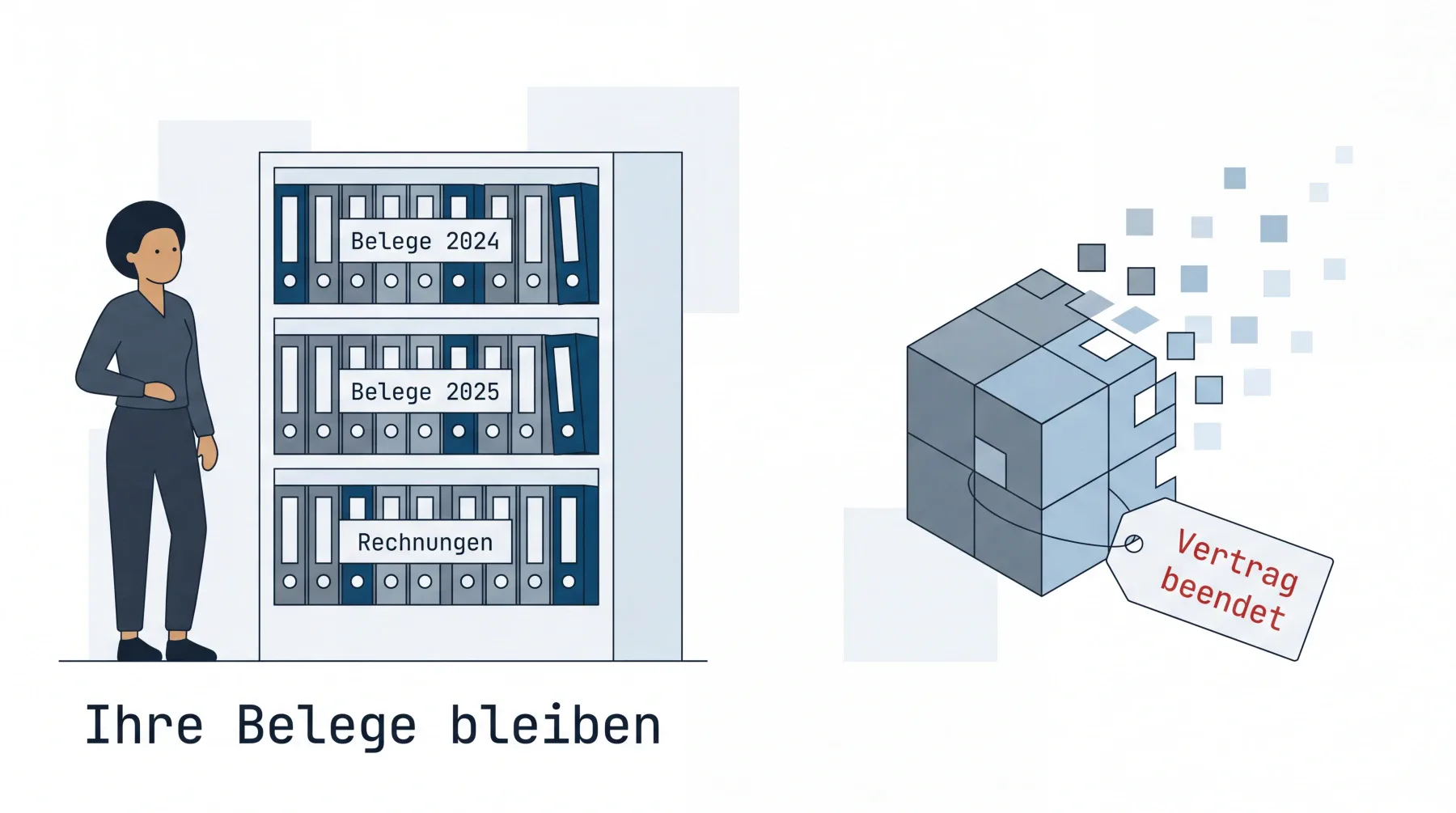 Exit safety means: the contract can end — your archive can’t.

- bexio recommends it itself: “We generally recommend keeping the receipts additionally outside of bexio.” (help.bexio.com, article 000001647)
- Cancellation = deletion: after the contract ends, the GTC (clause 5.7) give you one month to request the release of your data — after that “all of the customer’s data is irreversibly deleted” (GTC, PDF); for the document archive a 30-day deadline applies.
- The retention obligation is yours: 10 years, independent of the software subscription (GeBüV explained simply).
- The bulk download has been missing since 2018: 220 votes on the ideas portal (as of June 2021), bexio’s answer in 2020: “We see the value of such a feature and will keep pursuing the topic” — and the document archive didn’t solve it in 2026: a full export costs CHF 450 there, the upgrade to Optima CHF 324–408 per year.
The bulk download is only the most prominent entry on the old wishlist — what else the ideas portal (discontinued in 2022) collected and what exists for it today.
Frequently asked questions (FAQ)
Does bexio have an automatic backup? bexio backs up its own infrastructure (two Swiss data centres, daily backups — for bexio’s availability, not as a customer export). bexio does not offer an automatic export of your own data.
What happens to my data if I cancel bexio? Per the GTC (clause 5.7), after the contract ends you can still request the release of your data for one month; after that, bexio irreversibly deletes all customer data. For the document archive the deadline is 30 days.
Can I download the bexio inbox in full? Not with the built-in tools — “individually only”, as bexio’s help writes. It’s possible in an automated way with quintio.ch (mirror into your own Google Drive), RESTORE-IT (backup to the Sileo data centre) or swiDOC/Triboni (third-party archive).
How can I download a bexio invoice? Your own customer invoices: in Sales, individually as a PDF or, when selected, as a “multi-PDF” batch. bexio’s subscription invoices to you: in Settings, under your contract/plan.
Is Zapier enough for a bexio backup? No. Zapier has no file trigger — the inbox stays out of reach — and only copies newly created sales invoices, without history.
Does a Google Drive mirror satisfy the retention obligation? Yes — Google Drive meets the technical prerequisites for audit-proof, GeBüV-compliant storage, and the mirror delivers exactly what the duties of care require in practice: orderly filing, protection against loss and fast retrievability over 10 years. The small organisational remainder you handle yourself — our fiduciary’s assessment: Audit-proof storage from a fiduciary’s perspective.
quintio.ch mirrors all documents from bexio continuously into your own Google Drive — searchable, with OCR, effortlessly. Try it free → Sign in with bexio, sync your first documents for free. No credit card required.
Sources
- bexio help 000001647 «Backing up data / exporting documents» (as of 27 August 2025)
- Service description, document archive (PDF, as of 1 March 2026) — CHF 450 full export, 30-day deletion deadline
- bexio GTC (PDF, Nov 2024) — clauses 5.6/5.7
- sileo.swiss — RESTORE-IT Backup
- swidoc.ch/de/bexio · Pricing
- Triboni Drive for bexio — bexio Marketplace
- Zapier bexio integrations · Make bexio modules
- Google Drive: automatic indexing
- bexio ideas portal FIBU-I-183 (Wayback archive, June 2021)
A note on independence: quintio.ch is the authors’ product. There are no affiliate relationships for any of the solutions mentioned; all prices come from the linked provider pages (as of July 2026).
quintio automatically mirrors your bexio documents into your own Google Drive.
Sign up free