Finding Receipts Across All Your bexio Clients: Cockpit, Trustee Access — and the Search That's Missing
The bexio Cockpit connects your clients — a cross-client receipt search it does not have. The workflow that fills the gap.
By Roman Brüngger — Fiduciary with a Swiss federal diploma · Founder rombro ag
As of: July 2026
The short answer: as a trustee, bexio gives you a central overview of your clients with the Cockpit and direct entry into each client’s account with trustee access — for clients with a document archive (Optima/Ultimate), that includes automatic archive access. What bexio does not offer: a receipt search across clients. If you’re looking for a receipt, you log into the right client account and search there — in the inbox, practically only by file name. The workflow that solves this sits one layer above bexio: you connect each client once to your own quintio account — the mirror lands automatically as its own folder in your Google Drive, no action needed from the client. After that, a single Drive search covers all client folders at once — including, via text recognition, the content of scanned receipts.
The bexio trustee’s toolset (and what it actually does)
The trustee track is no side note at bexio: over 1,000 certified trustee partners work with the software according to bexio, among more than 100,000 bexio customers by now. bexio provides three building blocks for collaboration:
- Trustee access: the client invites you into their account (bexio help 000001812); from then on, you work directly in their books. For the client, this takes two minutes to set up.
- bexio Cockpit: the management hub for trustee offices — all connected clients in one list, with a direct jump into each account. The Cockpit answers “Where are my clients?” — not “Where is this receipt?”.
- Document archive access: for clients on the Optima or Ultimate package, trustees assigned in bexio automatically get access to the document archive, including its OCR search — reliable, per bexio, up to about 20 pages per document (details and limits).
That’s a solid access set. Just: access is not search.
Where the receipt search still falls short
In quarterly reconciliation, everyday reality looks like this: a payment of CHF 847.30 with no receipt, a supplier name in your head, thirty clients in the Cockpit. Now you have to guess the right client, log in, and scroll through the inbox — because bexio doesn’t document a content search there; search runs practically on file name and date. But scans are rarely named after their content. One bexio user on the ideas portal, verbatim: “We have 4 field staff in the business who add receipts/invoices daily, no chance to find them all quickly” (SALES-I-478, archived).
Multiply that by every client. And for the handover or archiving question, another user wished for: “With one click, a ZIP with ALL of a client’s data in Bexio should be downloadable… without being dependent” (bexio ideas portal, PLATF-I-352). Neither exists as a built-in feature to this day — we compared the workarounds here.
What’s left is the usual workaround: writing to the client. The email ping-pong (“could you send me the receipt for …”) costs both sides time and costs you a professional appearance — asking again never looks confident. The problem here is structural, not personal: in a 2023 Gartner survey, 47 percent of digital workers said they couldn’t find the information they needed for their job (Gartner, May 2023).

The workflow: one folder per client, one search across all
The lever isn’t in bexio, it’s in the filing system next to it:
- Connect each client once. In your quintio account, you sign in using
the existing trustee access for each client — quintio creates a dedicated
folder for it in your own Google Drive —
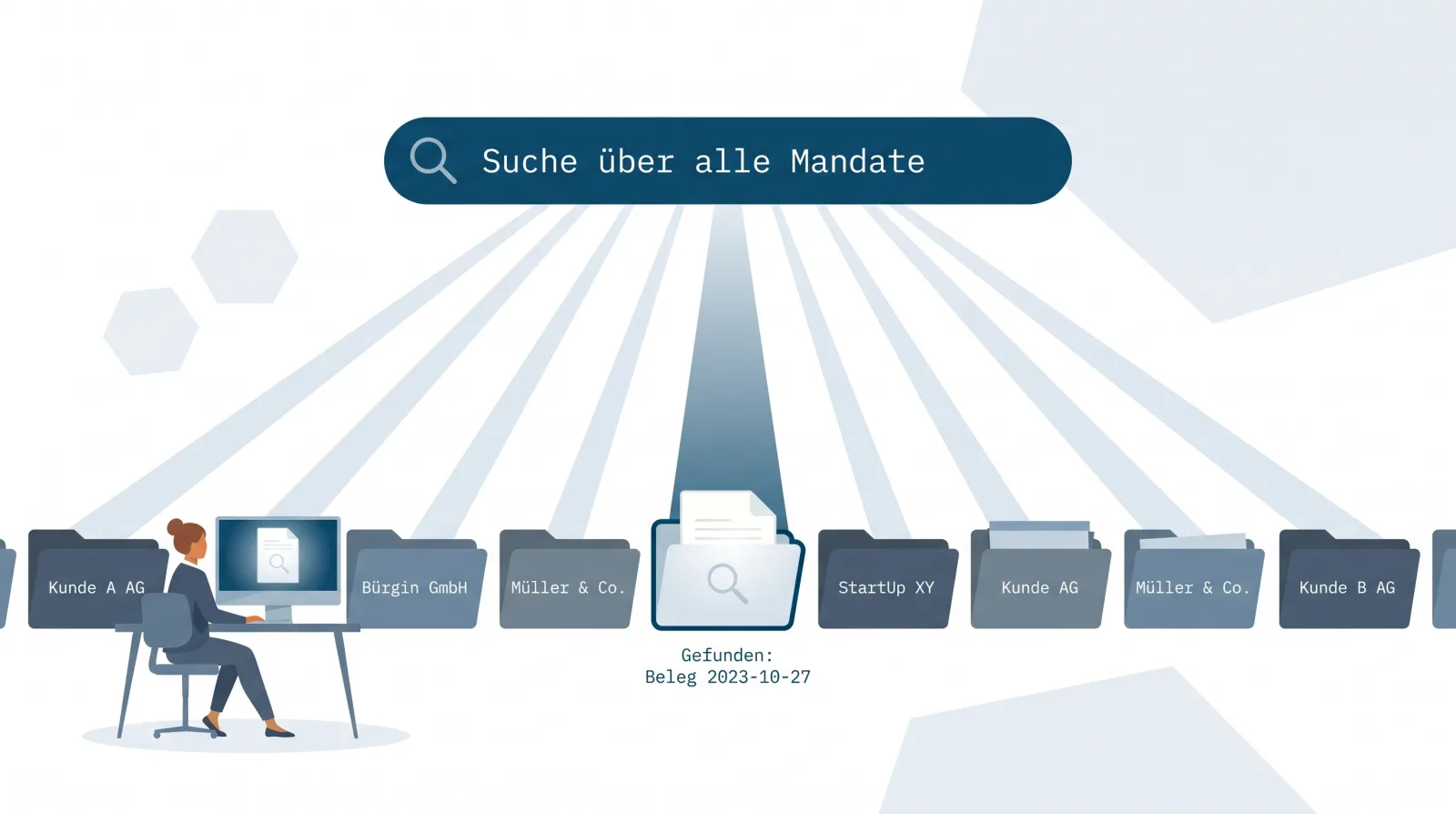
bexio – Sample Ltd/Inbox/2026/07/, invoices per year, original file names preserved — and keeps it continuously up to date, including the full history (why this structure). The client does nothing here — their bexio account stays unchanged. - You search across everything at once. Google Drive automatically indexes the content of uploaded documents — officially documented: “Drive automatically indexes documents for search when it recognizes the file type, including text documents, PDFs, images with text, and other common types” (developers.google.com). Because all clients sit in your own Drive, a search term — supplier, amount, item description — automatically runs across every client folder at once, text recognition included.

The CHF 847.30 payment is no longer a client-guessing game but a search query: type the supplier name, the result shows the receipt and the client, eight seconds instead of an email loop.
| bexio built-in tools (Cockpit + access) | Drive-mirror workflow | |
|---|---|---|
| Search across clients | No — log in per client | One search across all client folders |
| Content of scanned receipts | Only in the document archive (Optima/Ultimate) | Via Google OCR in every folder |
| Package requirement on the client side | Full-text only from Optima up | Any bexio package |
| Effort for the client | Invite trustee access (needed anyway) | None — no extra action |
| Who owns the filing system? | Client’s bexio account | Your own Google Drive |
What the workflow means for your practice
The mirror sits in your Google Drive — one account, one structure, for all clients. The client’s bexio account stays untouched: they see and use their books exactly as before, without setting up or sharing anything. For you, that means a single filing system instead of one per client — and the receipt hunt goes away. To be honest about it: the mirror is your working copy, not the client’s — if a client relationship ends, it stays with you, not with the client. How this filing system relates to GeBüV, the CO (Swiss Code of Obligations) and tax law has been assessed from a trustee’s perspective by Roman Brüngger — a trustee with a federal certificate — here: bexio remains the system of record, the mirror is a working and backup copy.
When this workflow doesn’t fit
Honest limits: if a client doesn’t run their books in bexio, there’s nothing to mirror. If your office already works with a full-fledged trustee DMS that has its own full-text search across all clients, quintio solves a problem you no longer have (an overview of the alternatives). And if your office fundamentally doesn’t want to work with Google, you’re better off with one of the other export routes — today, quintio mirrors exclusively to Google Drive.
Frequently asked questions (FAQ)
How do I give my trustee access to bexio? The client invites the trustee in their bexio account settings (Users & Permissions → Trustee). Guide: bexio help 000001812.
What is the bexio Cockpit? The free management hub for bexio trustees: all connected clients in one overview, with direct access into each account. It does not include a cross-client receipt or document search.
Can I search receipts across all clients as a trustee? Not in bexio — search and the document archive are tied to the individual client. You get cross-client full-text search by connecting each client once to your own quintio account — the mirror lands automatically in your Google Drive.
Does the client have to share their Google Drive? No. quintio connects your quintio account directly to the bexio client via your existing trustee access — the mirror lands in your own Drive. The client sets up nothing and shares nothing.
Do you need Google Workspace for multiple clients? No — an ordinary Google account is enough. Each client lands as its own subfolder in it; Workspace is not a requirement.
Does the Drive mirror replace the document archive or bexio? No. bexio remains the system of record for the books; the mirror is the searchable working and backup copy in your own Google Drive — assessment on audit-proof filing here.
quintio.ch continuously mirrors every document from bexio into your own Google Drive — one folder per client, searchable via OCR, cleanly organized by year and month. No sharing needed from the client. Try it for free → Sign in with bexio, sync your first documents for free. No credit card required.
Sources
- bexio help 000001812 “Trustee access” — setup by the client
- bexio help 000002502 “Document archive” — automatic trustee access, OCR up to ~20 pages
- Google Drive API: automatic full-text indexing
- bexio ideas portal SALES-I-478 (Wayback archive) — user quote on receipt search
- bexio: Trustee software — “over 1,000 certified trustee partners” (accessed July 2026) · Press release 18.02.2026 — “over 100,000 customers”
- Gartner Digital Worker Experience Survey (press release, 10.05.2023) — 47% figure; survey of 4,861 full-time employees (US, UK, India, China), Sep.–Nov. 2022
quintio automatically mirrors your bexio documents into your own Google Drive.
Sign up free