Connect bexio and Google Drive: All the Options (2026)
The ways to get bexio documents into Google Drive automatically — from manual to continuous, honestly compared.
By Roman Brüngger — Fiduciary with a Swiss federal diploma · Founder rombro ag
As of: July 2026 · Last reviewed: July 2026
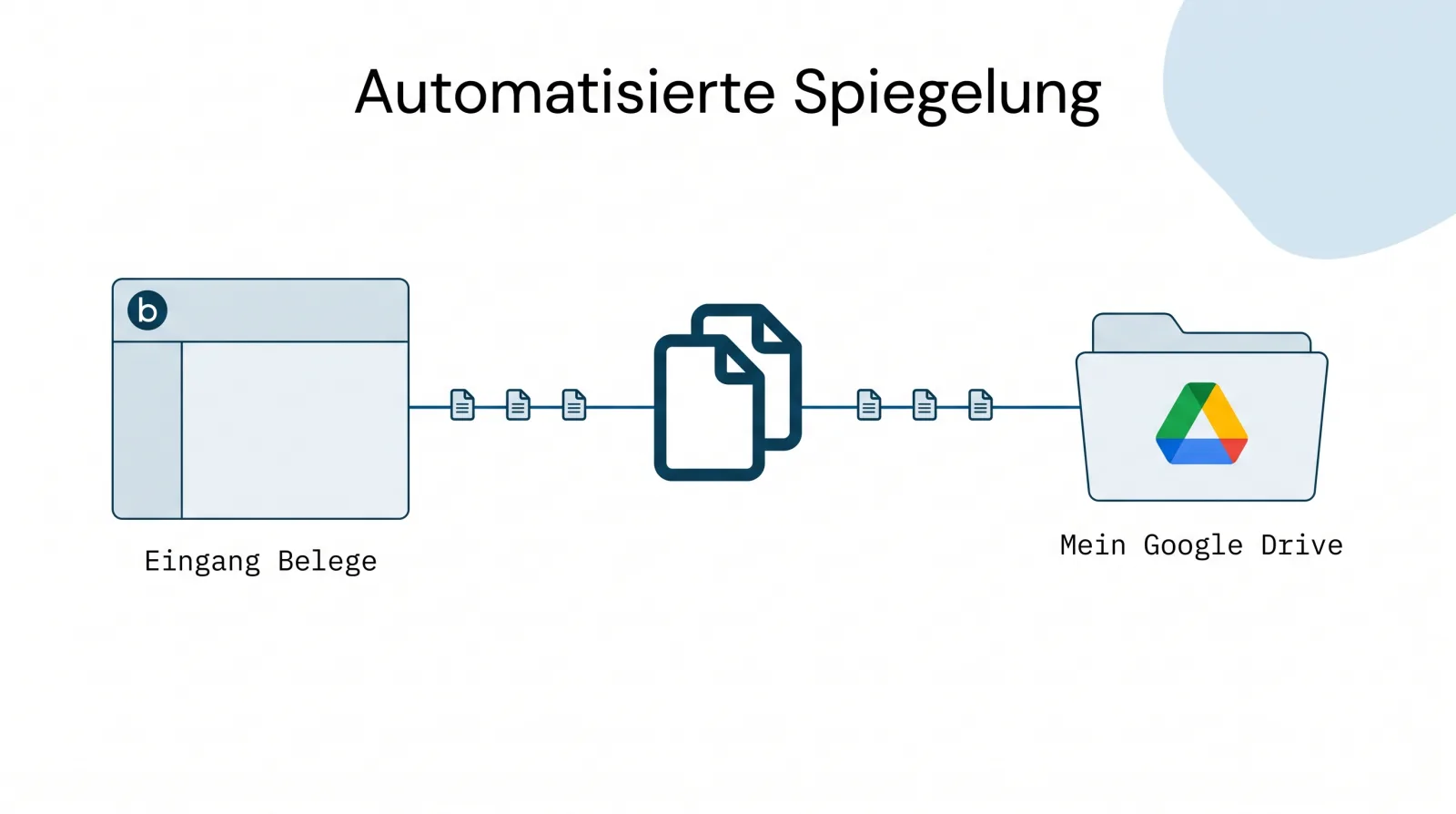
The short answer: bexio does not have a native Google Drive integration. According to user reports there used to be one — in 2019 the ideas portal put it like this: “This used to be standard at Bexio — no idea why it was then removed entirely” (archived); the old help article “How do I connect Google Drive, Dropbox and Box?” has since been deleted. In 2026, three routes lead to Drive: quintio.ch (continuously mirrors all documents including the Inbox into your own Google Drive, both retroactively and on an ongoing basis), Zapier or Make (build-it-yourself — Zapier only copies newly created sales invoices, Make offers file modules but no ready-made filing) and downloading and uploading manually.
Transparency upfront: quintio is our own product. We list it first because it is the only one of the three routes that solves the task completely — and we say clearly when one of the other two is enough.

Route 1: quintio.ch — the complete mirror
The result first: every receipt you have ever captured in bexio — and every one that will be added in the future — sits searchably in a Drive folder that belongs to you. Search “Bosch” or “847.30”, and the scan is there: on your laptop, on your phone, or at your fiduciary’s, once you have shared the folder with them.
Setting it up takes minutes, not afternoons:

- Sign in with bexio — no separate account, no password; you only confirm which company is being connected.
- Connect Google Drive and choose the target folder. quintio uses the
Google
drive.filepermission: according to Google, access is limited to files “that you open with an app or that the user shares with an app while using the Google Picker” — the rest of your Drive stays invisible (developers.google.com). - Done. quintio loads the complete history (newest documents first — the
first receipts appear after a few minutes) and then keeps the folder
continuously up to date: Inbox receipts under
Posteingang/Jahr/Monat, invoice PDFs underRechnungen/Jahr.
From then on Google works for you: “Drive automatically indexes documents for search … including text documents, PDFs, images with text” (official Google documentation) — every receipt becomes findable by content instead of file name (why this changes receipt search).

Limits, honestly named: quintio is a mirror, not a “certified” archive system — and it doesn’t need to be for GeBüV compliance either (our assessment); bexio remains your primary system. Today quintio only supports Google Drive (OneDrive is planned) — and it’s a subscription, not a free tool. In return, the risk is structurally on us: if you cancel quintio, the folder and its contents remain yours.
Choose quintio if you want all your documents — not just new invoices — in your own Drive, continuously and retroactively.
Try it free on quintio.ch → Sign in with bexio, sync your first documents for free. No credit card needed.
Route 2: Zapier or Make — build it yourself
bexio lists Zapier as an official “Zapier Connector” in its own Marketplace (bexio.com/de-CH/zapier). With it you can build a Zap: trigger “New Sales-Invoice” → action “Export Invoice to PDF” → Google Drive “Upload File”. That works — but the limits are hard:
- No access to the Inbox with Zapier. The bexio app offers seven triggers (invoices, quotes, orders, contacts, products, projects) — none for files; the Inbox can only be written to (“Upload File to Inbox”), not read (zapier.com/apps/bexio).
- No history. Zaps only process new data — Zapier’s “Transfer” function for existing data does not support bexio as a source (help.zapier.com).
- PDF export only for invoices. Quotes and orders do fire triggers, but cannot be exported as PDF via the bexio app.
- Cost and upkeep: multi-step Zaps from USD 19.99/mo. (billed annually); the Zap needs maintenance.
Make goes further: it has file modules (“Watch Files”, “Download a File” — apps.make.com/bexio), usable even on the free plan (1,000 operations per month). But that doesn’t turn into an archive by itself: the filing structure, error handling, backfill and maintenance are yours to build and run — and every operation counts against your quota.
Choose the DIY route if new sales invoices in Drive are enough for you (Zapier) or you like to build and run things yourself (Make).
Route 3: Manual — the honest classic
Download invoices as PDF (individually or in bulk as a “Multi-PDF”), save Inbox receipts one by one, upload them to Drive. bexio’s Help confirms: uploaded files can “only be downloaded individually” (article 000001647).
Choose the manual route if it’s about a handful of documents — as a permanent solution it fails against reality.
By the way: “Triboni Drive” is not Google Drive
If you search the bexio Marketplace for “Drive”, you’ll find Triboni Drive for bexio — and AI assistants like to name it too when you ask about a Drive integration. Important to know: “Drive” here is the product name of Triboni AG. According to the Marketplace listing, the archive/DMS suite takes over “all bexio receipts and automatically creates a corresponding filing structure” — storage is “incl. 50 GB cloud storage” in the Triboni cloud, from CHF 39/mo.; Google Drive does not appear anywhere in the entire listing (marketplace.bexio.com). A solid DMS — but the documents once again sit with a third party, not in your Google account.
The other direction: files from Google Drive into the bexio Inbox
The reverse direction is often sought too: automatically capturing in bexio the receipts that land in Drive (e.g. from the scanner). Zapier can actually do this — the “Upload File to Inbox” action uploads files into the Inbox. So writing works; Zapier just can’t read the Inbox.
The three routes compared
| quintio.ch | Zapier / Make (DIY) | Manual | |
|---|---|---|---|
| Inbox receipts | ✅ automatic | Zapier ❌ / Make: modules available, build the logic yourself | ✅ (individually) |
| Invoice PDFs | ✅ incl. history | ✅ new ones only (Zapier) | ✅ (individually/Multi-PDF) |
| Retroactive history | ✅ automatic backfill | ❌ (Zapier Transfer: no bexio) | in theory |
| Always up to date | ✅ continuous | partially | ❌ |
| Effort | one-time ~5 minutes | build + maintain | high, recurring |
| Storage location | Your Drive | Your Drive | Your Drive |
When you don’t need quintio
- New outgoing invoices in Drive are enough for you: a Zapier Zap handles that from USD 19.99/mo. — more tooling would be a waste.
- It’s a one-time export, e.g. before cancelling: take the support export or a service provider.
- Your company lives in Microsoft 365: wait for our OneDrive support — a Google account just for the mirror is a detour.
Frequently asked questions (FAQ)
Is there an official Google Drive integration from bexio? No. bexio points to the Zapier Connector — which only covers newly created sales invoices. For all documents including the Inbox, you need a specialized service like quintio.ch.
What does connecting bexio with Google Drive cost? Manual: free, but by hand. Zapier: multi-step Zaps from USD 19.99/mo. Make: from the free plan (build-it-yourself). quintio.ch: subscription per company, including a complete backfill — syncing the first documents is free.
Can I automatically import files from Google Drive into bexio? Yes — Zapier’s “Upload File to Inbox” action uploads Drive files into the bexio Inbox. Only the reverse direction (reading the Inbox) is beyond Zapier.
Can quintio also take over my old receipts? Yes — the backfill loads the entire stock, newest documents first.
What access does quintio get to my Google account?
Only to the chosen target folder (drive.file scope, classified by Google as
“non-sensitive”). Documents are passed through and never stored on quintio
servers.
Does this work with every bexio plan? Yes — Basic, Advanced, Optima and Ultimate. Precisely for Basic/Advanced without a native document archive, the mirror is the obvious archiving solution.
What about OneDrive/SharePoint? Planned. Today quintio supports Google Drive.
quintio.ch continuously mirrors all documents from bexio into your own Google Drive — searchable, with OCR, effortless. Try it free → Sign in with bexio, sync your first documents for free. No credit card needed.
Sources
- Zapier: bexio integrations (triggers/actions) · Pricing · Transfer sources
- Make: bexio modules · Pricing
- bexio: Zapier Connector · Help 000001647
- Triboni Drive for bexio — Marketplace listing
- Google: drive.file scope · Drive indexing
- bexio ideas portal BXA-I-151 (Wayback, 2020)
Independence note: quintio.ch is the authors’ product. There are no affiliate relationships for any of the solutions mentioned; all prices come from the linked provider pages (as of July 2026).
quintio automatically mirrors your bexio documents into your own Google Drive.
Sign up free