A Folder Structure for Bookkeeping: the Template That Lasts Ten Years
A folder structure that lasts ten years: year, month, document type — the template to copy.
By Roman Brüngger — Fiduciary with a Swiss federal diploma · Founder rombro ag
As of: July 2026 · This article is not legal advice.
The short answer: you don’t organize a bookkeeping filing system by
topic, but chronologically: document type → year → month, with file
names following the pattern YYYY-MM-DD_Supplier_Amount. That way every
fiscal year stays closeable as a unit — matching the ten-year retention
requirement (why, explained here) — and
every document has exactly one correct place. The complete template is
below, ready to copy. And the most important rule comes last: folders
exist for filing. Finding happens through full-text search today —
not by clicking through folder levels.
Why topic-based filing systems fail
Most filing systems that grow organically are sorted by topic: “Suppliers,” “Projects,” “Miscellaneous.” For bookkeeping, that fails for three reasons:
- Bookkeeping thinks in periods. Year-end close, audit, and the tax authority never ask about a topic — they ask about fiscal year 2023. If that year is scattered across twenty topic folders, the searching begins.
- The retention period runs per fiscal year. Business records and supporting documents must be kept for ten years (Art. 958f CO). If the year is the load-bearing folder level, you can close out a fiscal year as a whole, archive it, and delete it once the period expires — subject to special extended periods, such as roughly twenty years for real estate documents (the retention periods in detail).
- Topics are a judgment call, dates aren’t. Does the garage invoice belong under “Vehicles” or under “Maintenance”? Two employees, two answers. Document type plus date, on the other hand, are unambiguous — the filing system stays consistent even when several people are filing.
The often-cited seven-folder rule — no more than seven folders per level — is a fine rule of thumb. For bookkeeping you usually don’t even need seven: fewer, unambiguous folders beat any elaborate topic taxonomy.

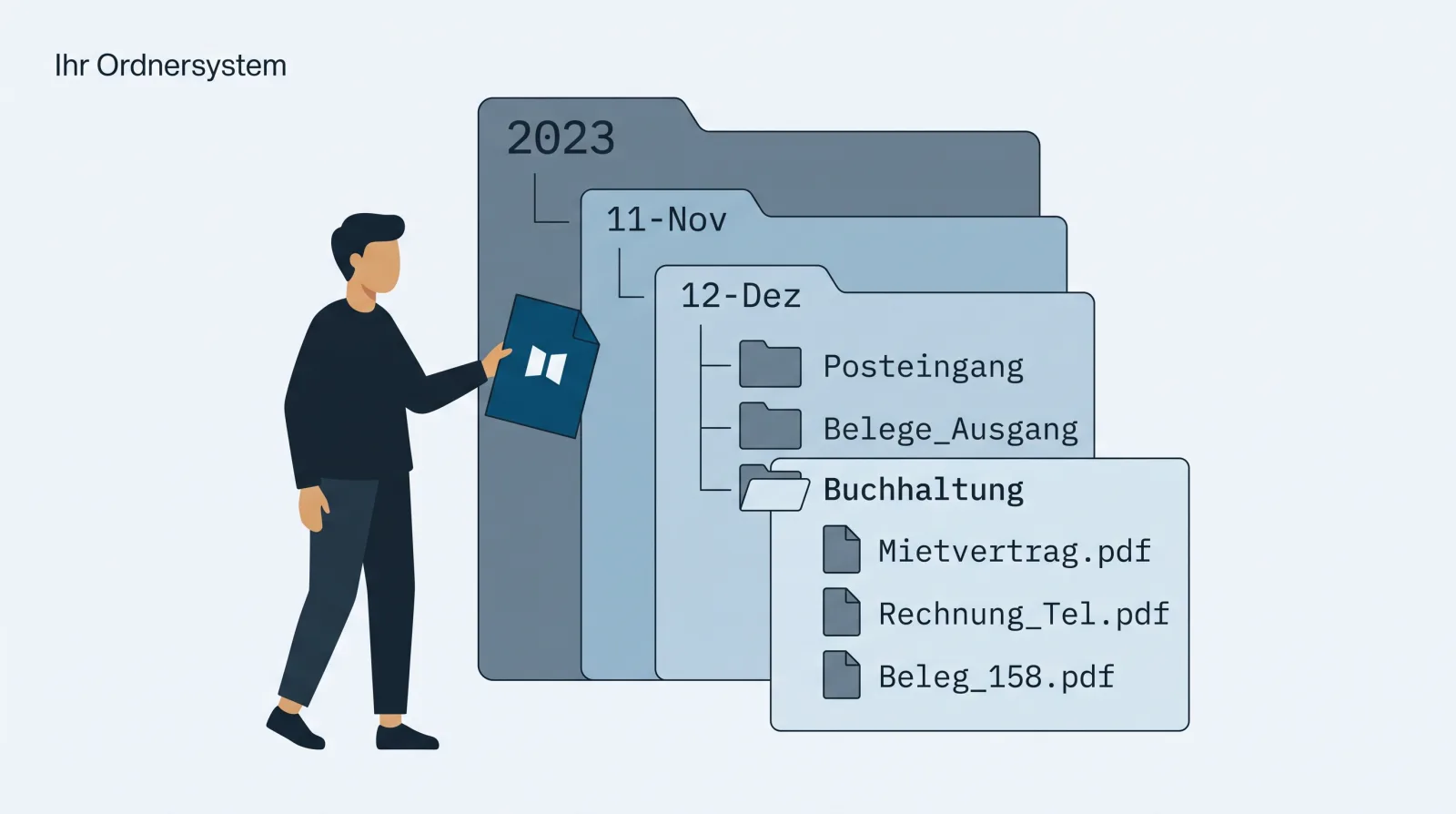
The template to copy
Bookkeeping/
├── Incoming documents/      ← supplier invoices, receipts, expenses
│   ├── 2025/
│   └── 2026/
│       ├── 01/ … 12/        ← month folders once you pass ~20 documents a month
├── Invoices/                ← your own customer invoices (accounts receivable)
│   ├── 2025/
│   └── 2026/
├── Bank/                    ← account statements, payment runs, per year
├── Payroll/                 ← payslips, social insurance, per year
├── Taxes + year-end close/  ← VAT returns, annual financial statements, per year
└── Contracts/               ← the one non-year-based drawer: ongoing contracts
Plus three naming rules:
- Date first, ISO format:
2026-03-12_Brack_847.30.pdfsorts itself chronologically —Invoice final NEW(2).pdfdoes not. - Put the supplier and amount in the file name when you already have them in front of you while filing. Every piece of information in the file name is one you won’t have to search for later.
- No special-character experiments, no artistic use of spaces. Hyphens and underscores are enough and work in every system.
And for accumulated chaos: don’t restructure retroactively. Roll out the structure from a cutoff date — typically the start of the new fiscal year — and leave the old filing system frozen as is. Retroactively resorting costs days and gains almost nothing, because finding works differently anyway:
Folders are for filing — search is for finding
The perfect folder structure answers the wrong question. Someone looking
for the Brack receipt from March doesn’t want to click through
Incoming documents/2026/03/ — they want to type “Brack” or “847.30” and
see the document. That’s exactly what a filing system in Google Drive
delivers: full-text search reads the content of scanned documents via
text recognition too, independent of the file name
(how that works). So the
structure doesn’t need to replace search — it just needs to make sure
nothing gets lost while filing and everything is together at year-end
close.
For documents that live in bexio, the same principle applies — with one caveat: the inbox has no content search; bexio only offers full-text search in the separate document archive of the Optima and Ultimate packages (the workarounds).
For fiduciaries: one folder per client
If you don’t run one set of books but thirty, the problem multiplies. The
same template works one level deeper: one main folder per client
(Client – Sample AG/), with document type → year inside. If the client
manages their own filing, they share the folder with you once via Drive
sharing — the automatic path, where every client folder ends up directly
in your own Drive, is described in
the complete fiduciary workflow.
The honest limit of any template
Every filing structure is a promise of discipline. It holds up exactly as long as everyone involved files every document in the right place with the right name — in December too, during holiday cover too, and for the field staff with the phone photo too. In practice, every manual filing system drifts.
The most stable structure, then, is the one nobody has to maintain. If you
record your documents in bexio, quintio.ch gives you
exactly that: the service continuously mirrors every bexio document into
your own Google Drive and files it there automatically following the
logic of this template — document type → year → month:
quintio/bexio – Your Company/Inbox/2026/07/, invoices per year, original
file names preserved. Retroactively for the entire history, ongoing for
everything new. You keep recording documents in bexio as before; the
filing system builds itself — searchable, in a folder that belongs to you.
Frequently asked questions (FAQ)
What folder structure works best for bookkeeping? Document type → year → month (template above). Chronological rather than topic-based, because year-end close, audits, and retention periods all think in fiscal years.
How long do I need to keep bookkeeping records? Ten years (Art. 958f CO). Details, special extended periods, and what’s allowed digitally: GeBüV explained simply.
Do I also need to keep documents in paper form? In the vast majority of cases, no — the answer with the legal basis.
Does the seven-folder rule make sense? As a rule of thumb for the top level, yes: few, unambiguous folders — the template above gets by with six. At the year and month level the counting rule doesn’t apply: twelve month folders aren’t sprawl, they’re a calendar.
How should I name documents?
YYYY-MM-DD_Supplier_Amount.pdf. Date in ISO format first — then the
folder sorts chronologically without you doing anything.
What do I do with an accumulated old filing system? Freeze it instead of restructuring it: set a cutoff date, apply the new structure consistently from then on, leave the old stock unchanged, and make it accessible via full-text search.
quintio.ch continuously mirrors every document from bexio into your own Google Drive — filed automatically by document type and fiscal year, searchable, with no maintenance effort. Try it for free → Sign up, connect bexio — your first documents sync for free. No credit card required.
Sources
- Art. 958f CO (Fedlex) — ten-year retention of business records and supporting documents
- GeBüV, SR 221.431 (Fedlex) — requirements for keeping and retaining business records
- Folder tree of the quintio mirror: manufacturer specification (quintio.ch), as of July 2026
quintio automatically mirrors your bexio documents into your own Google Drive.
Sign up free